
DocuChain Accounts & Plans: What Changed and How to Get Your Documents Back


DocuChain now has accounts and subscription plans
DocuChain just got a proper home for your work. Signing now lives in a personal account, so everything you put your name to stays in one place — and two new plans, Pro and Pro Max, open up the features people kept asking us for. Signed with us before? There's a two-minute step below to bring your whole document history into your new account.
One home for everything you sign
Every signed document now lives in one place, tied to your email, ready to reopen or download whenever you need it. Sign in once and your whole history is there.
Two plans, and that's the whole menu
Two plans, both under what a comparable DocuSign plan costs.
Pro — $7/month
- 20 documents a month
- Up to 4 signers per document
- AI document review
- Email reminders for unsigned documents
-
Pro Max — $20/month
- Unlimited documents
- Unlimited signers per document
- AI document review
- Email reminders for unsigned documents
- Priority support
Getting your signed documents back
Your documents are tied to the email you signed with. Create an account with that same email and your history comes back on its own. Three steps.
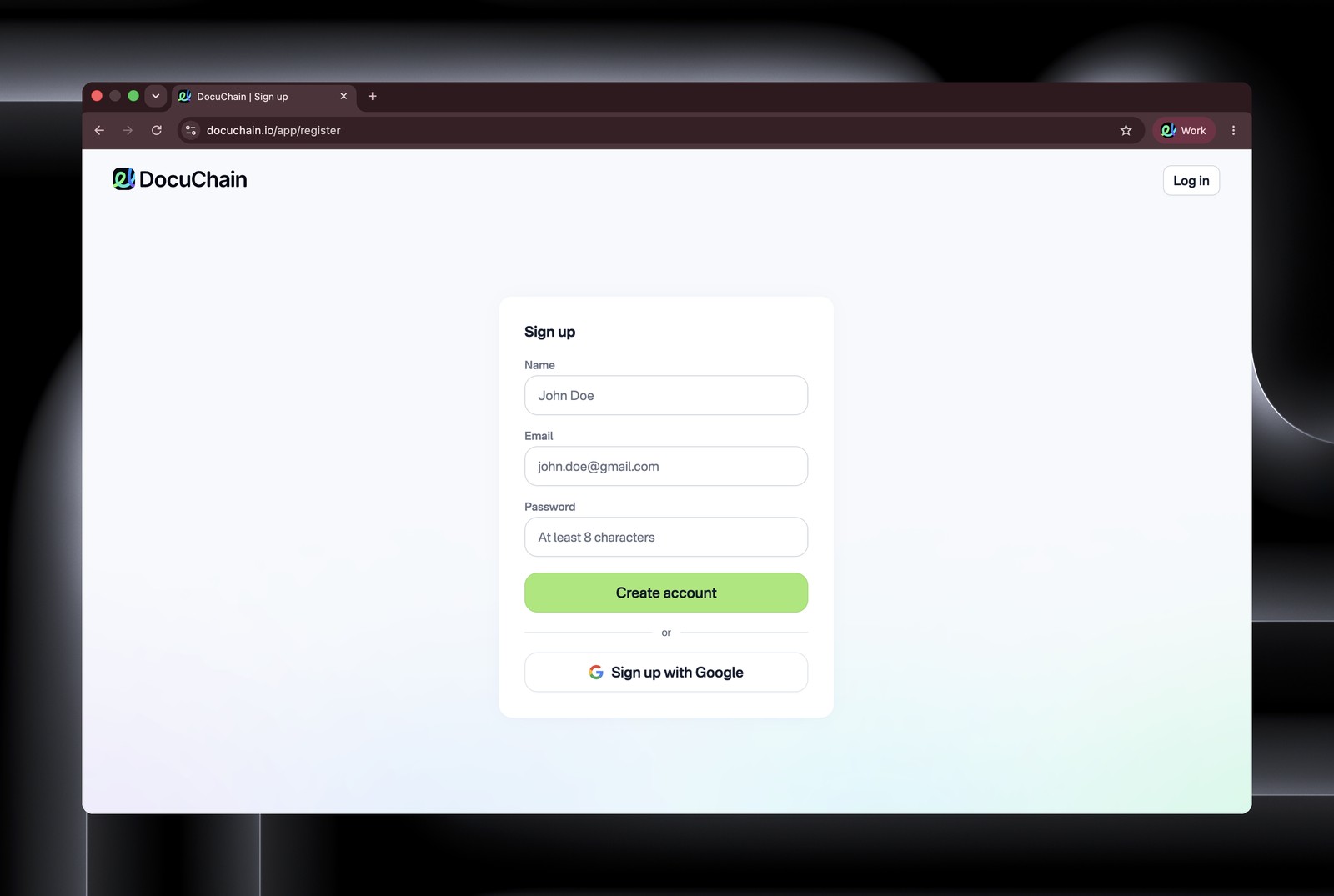
1. Open the sign-up page
Go to docuchain.io/app/register.
2. Use the email you signed with
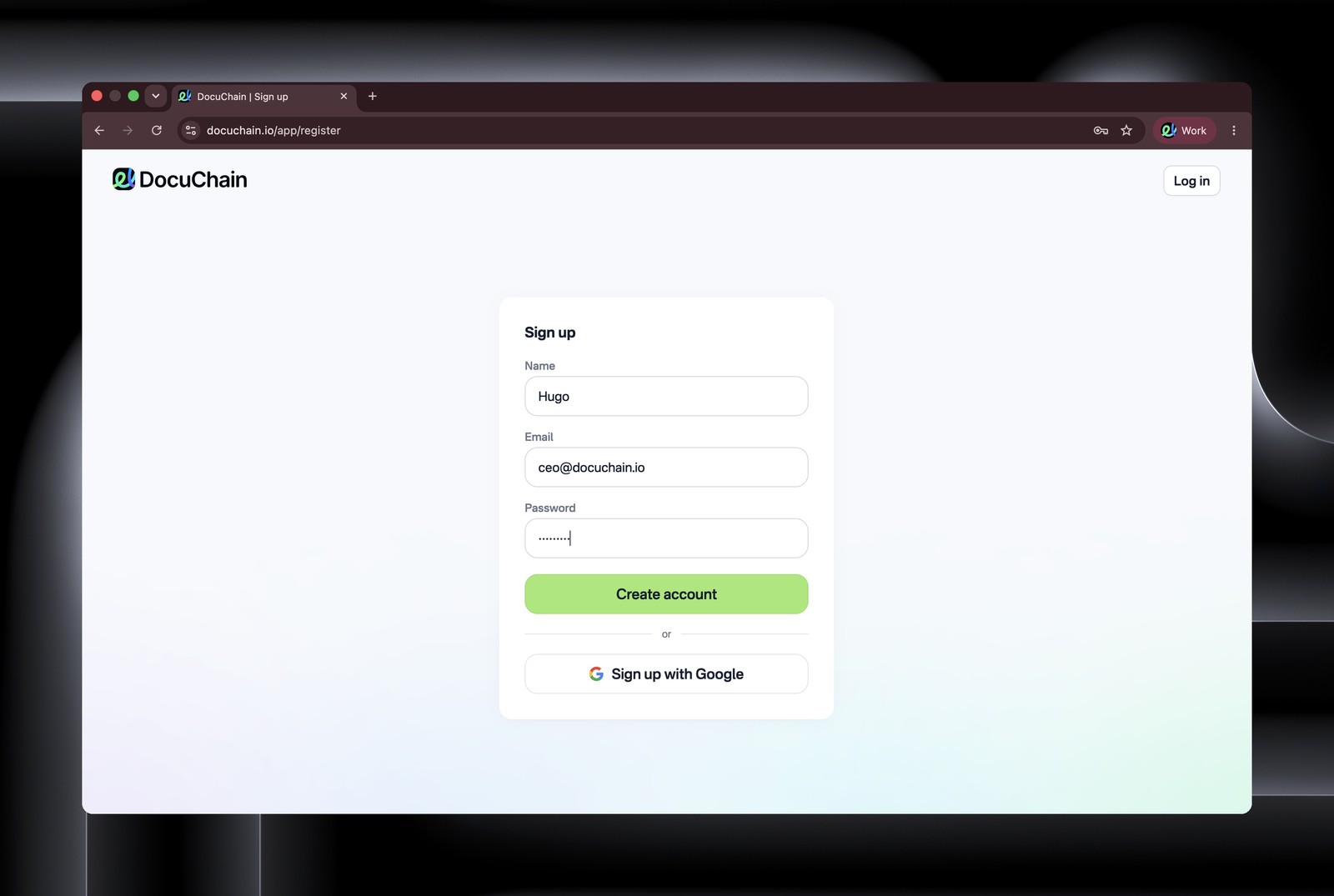
Enter the exact address you signed with and set a password — or continue with Google. This email links your past documents to your account, so it has to match.
3. You're back in
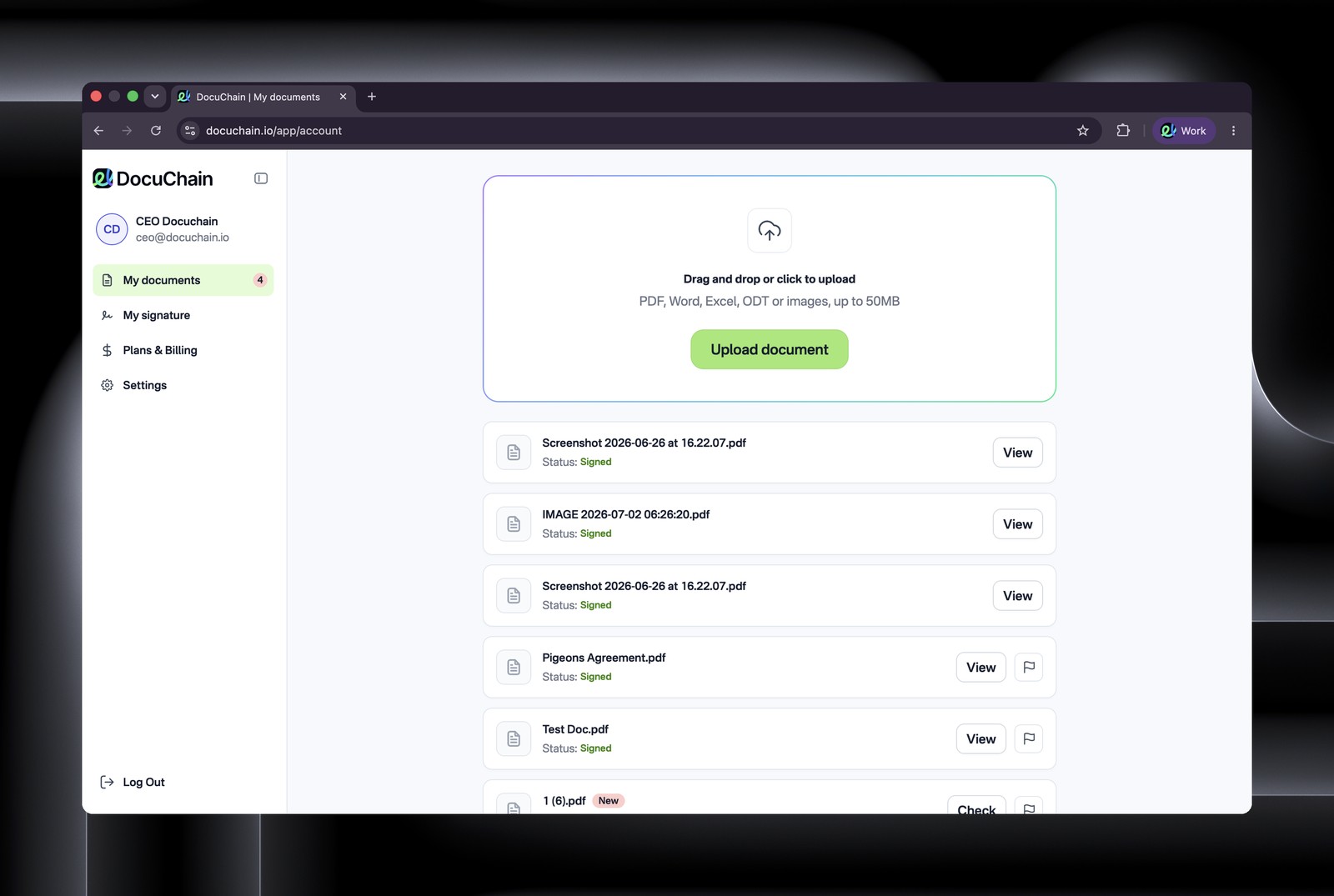
Every document you've signed appears in your list, ready to open, or download.
FAQ
Do I lose the documents I've already signed?
No. They're tied to your signing email and come back the moment you register with it. Restoring your history is free — the plans apply only to new documents.
I signed with two different emails. Now what?
No merging needed — just sign in to each one. Create an account for each email you signed with, and the documents tied to that address are right there in that account.
I've never used DocuChain — is any of this for me?
Only the plans. Nothing to restore — just create an account, pick Pro or Pro Max, and start signing.
Pro or Pro Max?
Under 20 documents a month with four or fewer signers — Pro. More than that, or you'd rather forget limits exist — Pro Max.
Get your documents back
Signed with DocuChain before? Two minutes now and everything you've signed is back under one sign up.
→ Create your account at docuchain.io/app/register


Create Digital Signature


Tap in area to upload your document
Drop your file or click to upload your document.


